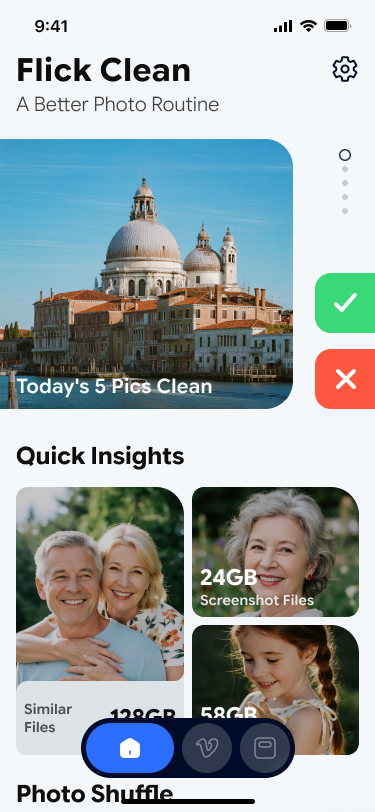
01 Quick insights
Start with a visual summary, not a wall of technical data.
Flick Clean opens with an immediate view of similar files, screenshot weight, and photo groups so the user can jump straight into the categories worth reviewing first.
Flick Clean turns photo cleanup into a fast, tactile routine. Swipe through duplicates, review similar videos, and see where your storage is going before you delete anything.
Built for quick review, clear decisions, and on-device processing. No cloud upload of your photos or videos.
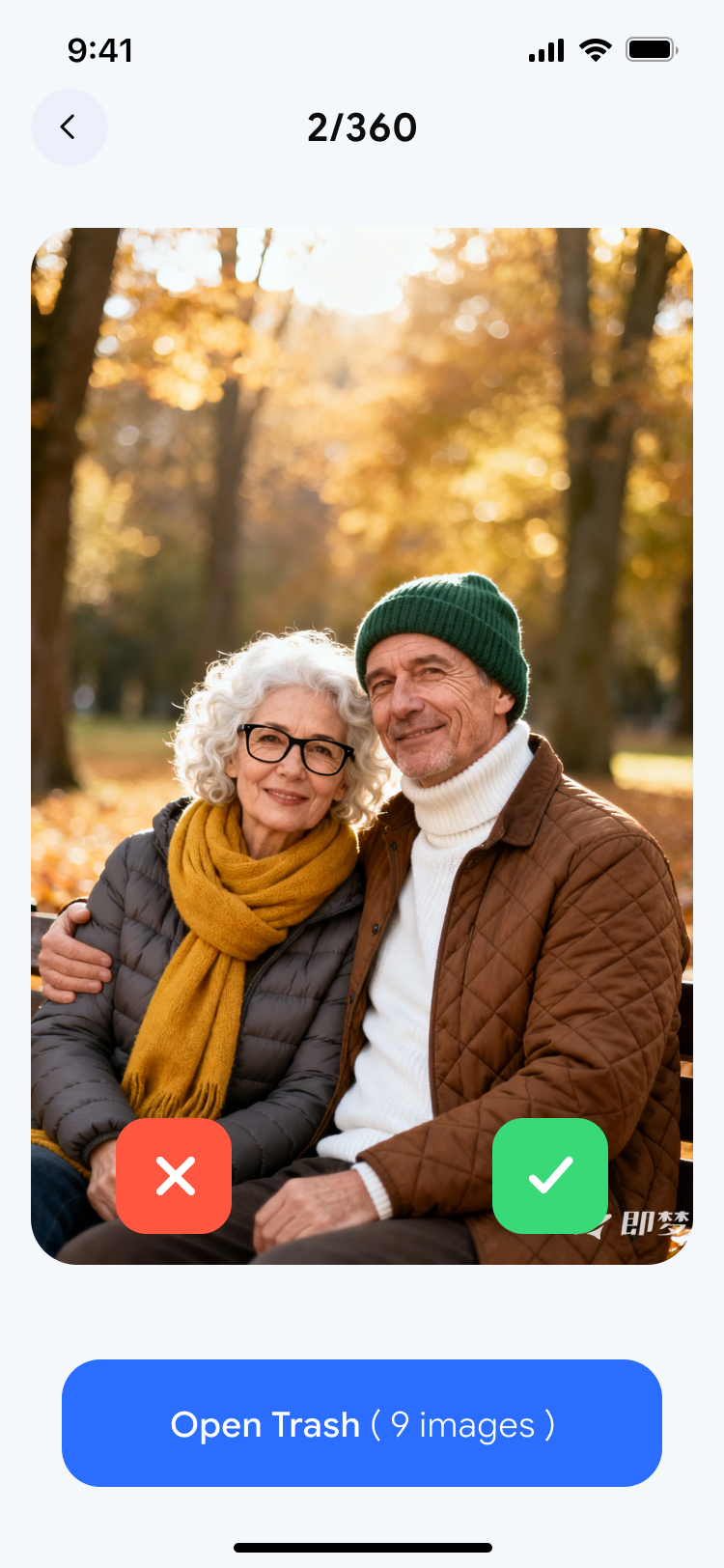
Review one image at a time, keep control, and avoid bulk deletion anxiety.
The interface is built around deliberate review, not blind removal.
Every screen keeps the same calm iPhone-native feel across photo and video cleanup.
Product story
The homepage is structured as a sequence of live product beats: understand the clutter, swipe through decisions, organize similar videos, then verify the space you are getting back.
01 Quick insights
Flick Clean opens with an immediate view of similar files, screenshot weight, and photo groups so the user can jump straight into the categories worth reviewing first.
02 Swipe routine
The swipe review interface keeps the decision lightweight: one image forward, one confident action, one clear trash queue. It turns cleanup into a fast habit instead of a maintenance chore.
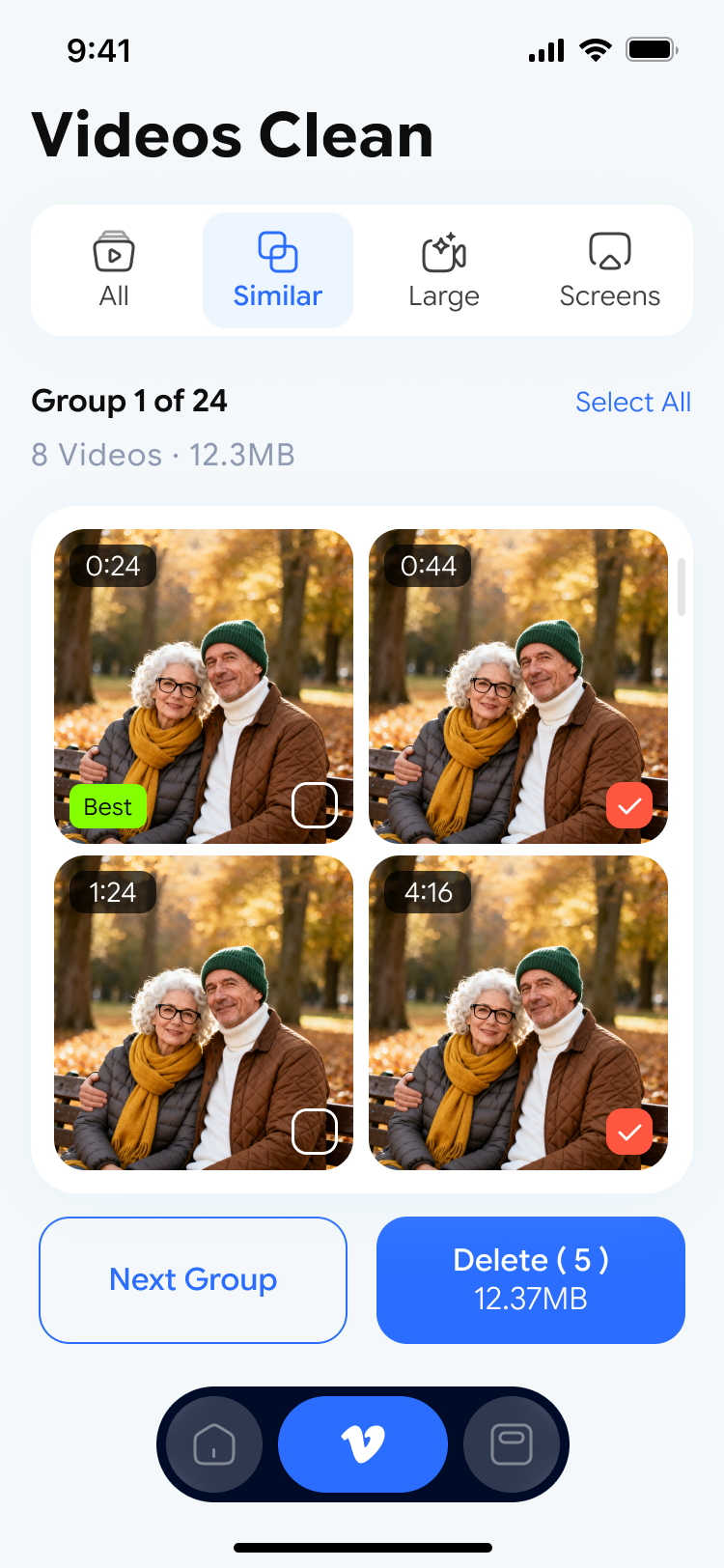
03 Similar video groups
Large videos and similar clips are grouped for side-by-side review, helping users compare before deleting. The provided preview shows duration labels, multi-select states, and a clear next action path.
04 Storage overview
A clear storage breakdown makes cleanup feel grounded. Instead of guessing what is causing the problem, users can see the balance between pictures, videos, and everything else.
Why it works
The core promise here is simple: reduce friction. Every screen shortens the path between seeing clutter and acting on it, while still giving the user enough visibility to avoid mistakes.
One-tap analysis surfaces duplicates, similar items, screenshots, and media groups worth checking first.
Keep, skip, or remove with focused gestures that prioritize review clarity over aggressive automation.
Photos and videos are processed locally on your device, which keeps the workflow fast and privacy-first.
Privacy first
The provided policy makes the privacy stance explicit: photo and video analysis happens locally, while limited device and anonymous usage data may be used for app quality, analytics, and crash reporting.